
Download Artificial Pulse – Free Positive Tech News Podcast, Secure Daily Updates
Overview
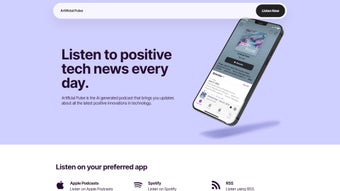
Artificial Pulse is a fresh, AI‑generated podcast that delivers a daily roundup of the most uplifting technology stories. In a media landscape crowded with alarmist headlines about data breaches, privacy wars, and ethical quandaries, this show deliberately curates only positive, forward‑looking developments. Each episode runs between 10 and 20 minutes, providing a concise yet thorough snapshot of breakthroughs ranging from quantum‑computing milestones to eco‑friendly hardware innovations.
By leveraging advanced natural‑language processing, the AI scans hundreds of reputable tech sources, filters out negativity, and stitches together a narrative that feels both journalistic and motivational. Listeners can access the podcast on all major platforms—including Apple Podcasts, Spotify, Google Podcasts, and any RSS‑compatible app—making it easy to tune in whether they are commuting, exercising, or working at a desk. The free, ad‑free model is sustained through voluntary Patreon contributions, which unlock bonus episodes, early releases, and behind‑the‑scenes insights for supporters.
While the brevity of each episode limits deep technical dives, the consistent positivity, reliable update schedule, and effortless accessibility make Artificial Pulse an ideal daily habit for tech enthusiasts who prefer optimism over alarmism.
Key Features & Benefits
- AI‑Curated Positivity: Natural‑language processing selects stories with a high “positivity score,” ensuring every episode highlights innovation, sustainability, and societal benefit.
- Multi‑Platform Reach: Available on Apple Podcasts, Spotify, Google Podcasts, Stitcher, Pocket Casts, and any RSS‑compatible player.
- Snackable Length: Episodes are 10‑20 minutes long, perfect for quick morning motivation or a mid‑day refresher.
- Cross‑Device Sync: Listening progress automatically syncs across smartphones, tablets, and desktop apps.
- Patreon‑Exclusive Content: Supporters receive bonus deep‑dive episodes, early access, and a community Discord.
- Daily Updates: New episodes are released five days a week, keeping listeners continuously informed.
- Ad‑Free Experience: No interruptions; the podcast relies entirely on voluntary patronage.
- Free to Download: No subscription fees; all standard episodes are freely available.
These features combine to create a user experience that is both informative and uplifting. The AI‑driven curation guarantees fresh, relevant stories without editorial bias, while the short‑form format aligns with modern listening habits where users prefer bite‑size content. Cross‑platform availability means you can start an episode on a phone during a commute and finish it on a desktop at work without losing your place. The Patreon model offers a sustainable revenue stream that funds continued AI improvements, ensuring the podcast remains cutting‑edge and financially viable. Together, the seamless sync, frequent release cadence, and unwavering positive tone position Artificial Pulse as a unique and valuable resource in the crowded tech‑podcast arena.
Installation & Usage Guide
Step‑by‑Step Download and Setup
- Select Your Preferred Podcast App: Open Apple Podcasts, Spotify, Google Podcasts, or any RSS‑compatible player on your device.
- Search “Artificial Pulse”: Type the exact name into the search bar; look for the official logo—a stylized electric heart.
- Subscribe or Follow: Tap the “Subscribe” or “Follow” button to receive automatic episode downloads.
- Enable Automatic Downloads: In the app’s settings, activate automatic download over Wi‑Fi (or cellular if preferred) to ensure episodes are stored locally.
- Start Listening: Open the most recent episode, press play, and enjoy a curated dose of positive tech news.
Compatibility Details
Artificial Pulse runs on every major operating system, thanks to its reliance on standard RSS feeds and widely supported podcast apps.
- iOS 13 or later (iPhone, iPad, iPod Touch)
- Android 8.0 or later (smartphones and tablets)
- macOS 10.15 or later (Apple Podcasts or Spotify desktop)
- Windows 10 or later (Spotify, Google Podcasts web player, or any RSS client)
- Linux (via web‑based podcast clients or RSS aggregators)
Tips for an Optimized Experience
- Set Daily Reminders: Most apps let you schedule a notification for new episodes; a 9 am alert helps start the day with optimism.
- Adjust Playback Speed: Increase speed to 1.25× or 1.5× for a faster listen without sacrificing clarity—AI narration remains crisp.
- Bookmark Bonus Episodes: Patreon supporters can add exclusive content to their library for easy access.
- Engage with the Community: Join the official Discord or Reddit forum to discuss episodes, suggest stories, and connect with fellow optimists.
Conclusion, Pros & Cons, and Frequently Asked Questions
Pros
- Consistently positive editorial tone reduces listener fatigue.
- AI‑driven curation provides up‑to‑date, bias‑free content.
- Short episode length fits busy schedules.
- Free, ad‑free listening experience.
- Broad platform support across iOS, Android, Windows, macOS, and Linux.
- Patreon model offers sustainable funding and exclusive content.
Cons
- Limited depth; episodes prioritize breadth over technical detail.
- Strictly positive focus may omit important cautionary stories.
- AI may occasionally miss niche topics that human editors would catch.
- Patreon benefits are optional; some listeners may want more free content.
Frequently Asked Questions
Is Artificial Pulse really free to listen?
Yes. All standard episodes are available at no cost on every major podcast platform and are completely ad‑free.
How does the AI decide which news to feature?
The AI scans hundreds of tech sources daily, using natural‑language processing to assign a positivity score. Only stories that meet the predefined threshold are included.
Can I listen offline?
Absolutely. Once you subscribe and enable automatic downloads, episodes are stored locally for offline playback.
What platforms are supported?
Artificial Pulse is available on Apple Podcasts, Spotify, Google Podcasts, Stitcher, Pocket Casts, and any RSS‑compatible player, working on iOS, Android, Windows, macOS, and Linux.
How can I support the podcast?
Support is offered through Patreon. Patrons gain access to bonus episodes, early releases, and a community Discord where they can interact directly with the creators.
If you value a constructive outlook on technology, appreciate a clean, ad‑free listening experience, and enjoy automatic, free updates, Artificial Pulse is the perfect addition to your daily routine. Click the link below, subscribe on your favorite podcast app, and let a steady stream of positive tech news energize your day.
Download Artificial Pulse now and join a growing community of tech enthusiasts focused on the future’s bright possibilities.



.png)



